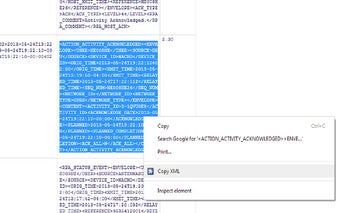
Copy XML: A Convenient Plugin for Copying and Indenting XML Text
Copy XML is a free Chrome plugin developed by Juan Cortines. It falls under the category of Browsers and is specifically classified as an Add-ons & Tools subcategory. The main purpose of this plugin is to simplify the process of copying XML text from the browser by fixing and indenting it.
With Copy XML installed, users can easily copy XML messages that may appear messy or unorganized. By selecting the desired XML text, right-clicking, and choosing "Copy XML," the plugin will process the text and present the formatted result under the extension button. From there, users can conveniently copy and paste the properly indented XML.
This plugin aims to enhance the efficiency of individuals who frequently work with XML messages in their web browsing. It provides a quick and straightforward solution for copying and indenting XML, saving users valuable time and effort.
Please note that the plugin has undergone several updates, including bug fixes, updated icons, and the addition of XML indentation size control, demonstrating the developer's commitment to continuous improvement.